Sklearn logistic regression is the fastest way to train a working classifier in Python: with scikit-learn you can import one class, call .fit(), and have predictions and probabilities in under ten lines of code. This practical guide walks through a complete example, shows how to read the fitted coefficients, and explains every hyperparameter that actually matters.
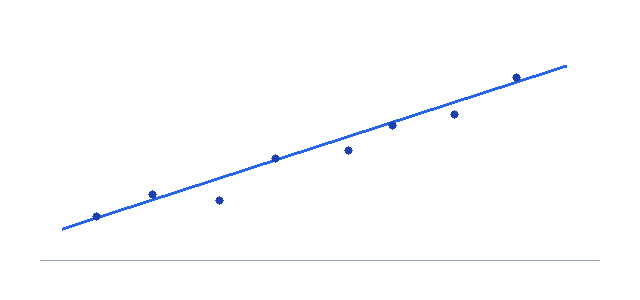
A minimal sklearn logistic regression example
Logistic regression in scikit-learn lives in sklearn.linear_model.LogisticRegression. The pattern is the same one every estimator in the library follows: create the model, fit it on training data, then predict. Here is a complete, runnable end-to-end example using the built-in breast cancer dataset:
from sklearn.datasets import load_breast_cancer
from sklearn.model_selection import train_test_split
from sklearn.preprocessing import StandardScaler
from sklearn.linear_model import LogisticRegression

# 1. Load features (X) and labels (y)
data = load_breast_cancer()
X, y = data.data, data.target          # y is 0 or 1

# 2. Split into train and test sets
X_train, X_test, y_train, y_test = train_test_split(
    X, y, test_size=0.2, random_state=42, stratify=y)

# 3. Scale features so the solver converges cleanly
scaler = StandardScaler()
X_train = scaler.fit_transform(X_train)
X_test  = scaler.transform(X_test)

# 4. Instantiate and fit the model
model = LogisticRegression(max_iter=1000)
model.fit(X_train, y_train)

# 5. Predict classes and check accuracy
preds = model.predict(X_test)
print("Accuracy:", model.score(X_test, y_test))
That is the whole workflow. model.fit(X_train, y_train) learns the coefficients, model.predict(X_test) returns hard class labels (0 or 1), and model.score() reports accuracy on the test set. If you want probabilities instead of labels, call model.predict_proba(X_test), which returns one column per class.
.fit(X, y) to train, .predict(X) for labels, .predict_proba(X) for class probabilities, and .score(X, y) for accuracy. Learn this pattern once and you can swap LogisticRegression for almost any other model.Reading the fitted model: coefficients and odds ratios
After fitting, the learned parameters live in two attributes. model.coef_ holds the slope coefficients (one $\beta$ per feature) and model.intercept_ holds $\beta_0$. These map directly onto the logistic regression equation, where the log-odds are linear in the inputs:
Because the coefficients act on the log-odds, exponentiating one with numpy.exp turns it into an odds ratio — the factor by which the odds of class 1 multiply for a one-unit increase in that feature. This second example pulls out probabilities and converts every coefficient into an interpretable odds ratio:
import numpy as np

# predict_proba returns [P(class 0), P(class 1)] per row
probs = model.predict_proba(X_test)
print("First 3 probability rows:")
print(probs[:3])

# The coefficients and intercept of the fitted line
print("Intercept (beta_0):", model.intercept_)
print("Coef shape:", model.coef_.shape)   # (1, n_features)

# Map coefficients back to odds ratios via exp()
coefs = model.coef_[0]
odds_ratios = np.exp(coefs)
for name, beta, oratio in zip(data.feature_names, coefs, odds_ratios):
    print(f"{name:25s} beta={beta:+.3f}  odds_ratio={oratio:.3f}")
An odds ratio above 1 means the feature pushes the prediction toward class 1; below 1 means it pushes toward class 0. This is exactly the interpretation covered on our logistic regression calculator, where you can plug in coefficients by hand and watch the probability update.
Key LogisticRegression hyperparameters
The defaults in LogisticRegression() work well for many problems, but a handful of arguments are worth knowing. These are the ones you will reach for most often when tuning a sklearn logistic regression model:
| Parameter | What it controls | Notes & common values |
|---|---|---|
| C | Inverse regularization strength | Default 1.0. Smaller C = stronger regularization (simpler model); larger C trusts the data more. Tune on a log scale, e.g. 0.01, 0.1, 1, 10. |
| penalty | Type of regularization | ‘l2’ (default, ridge), ‘l1’ (lasso, sparse), ‘elasticnet’ (mix), or ‘none’/None for no penalty. |
| solver | Optimization algorithm | ‘lbfgs’ (default, l2/none), ‘liblinear’ (l1/l2, small data), ‘saga’ (l1/l2/elasticnet, large data). |
| max_iter | Max solver iterations | Default 100. Raise it (e.g. 1000) if you see a convergence warning. |
| class_weight | Weighting of classes | Default None. Set ‘balanced’ to up-weight rare classes on imbalanced data. |
| multi_class | Multiclass strategy | ‘auto’ (default) picks softmax or one-vs-rest based on solver and data. |
For the full list of arguments and their interactions, the authoritative source is the official scikit-learn LogisticRegression documentation.
C is the inverse: a small C means strong regularization and a smaller, smoother model, while a large C lets the coefficients grow to fit the training data closely.Solvers and which penalties they support
Not every solver works with every penalty, and choosing the wrong pair raises an error. The quick rules:
- ‘lbfgs’ (the default) supports ‘l2’ and ‘none’. It is a solid first choice for small-to-medium dense data.
- ‘liblinear’ supports ‘l1’ and ‘l2’. Good for small datasets and the only solver that handles ‘l1’ on very small problems, but it does not do multinomial multiclass directly.
- ‘saga’ supports ‘l1’, ‘l2’, and ‘elasticnet’. Use it for large datasets or when you want sparse ‘l1’ or ‘elasticnet’ penalties at scale.
Common gotchas (and how to fix them)
Most sklearn logistic regression headaches come from three predictable issues. Knowing them in advance saves a lot of debugging:
StandardScaler before the model — ideally inside a Pipeline so the same scaling is applied at predict time.max_iter before settling. The fix is almost always to (1) scale your features with StandardScaler, and/or (2) raise max_iter to 1000 or higher. Both address the same underlying cause.The third gotcha is multiclass: you do not need to do anything special. When y has more than two classes, LogisticRegression handles it automatically, using a multinomial softmax fit or a one-vs-rest scheme depending on the solver. predict_proba then returns one probability column per class, and the columns sum to 1.
The math behind the fit
Under the hood, scikit-learn fits logistic regression by minimizing regularized log loss (cross-entropy). With L2 regularization the objective looks like:
$$\min_{\beta}\; \sum_{i=1}^{n} \log\!\left(1 + e^{-y_i\,(\beta^\top x_i)}\right) + \frac{1}{2C}\,\|\beta\|^2$$The first term rewards correct, confident predictions; the second term, scaled by $1/C$, keeps the coefficients from growing too large. There is no closed-form solution, so the solver finds the minimum iteratively. To see how that iterative optimization works step by step, read our companion guide on logistic regression with gradient descent. For the contrast with predicting numbers, see logistic regression vs linear regression.
🤖 ML context
Sklearn’s LogisticRegression is the workhorse baseline classifier in machine learning — fast, interpretable, and a sensible first model before you try anything fancier. It is also a single-neuron neural network with a sigmoid activation, so mastering it builds direct intuition for deep learning. Start hands-on with the logistic regression calculator.
Frequently asked questions
How do I train a logistic regression model in scikit-learn?
What does the C parameter do in sklearn LogisticRegression?
Why do I get a convergence warning in sklearn logistic regression?
How do I get probabilities from sklearn logistic regression?
Does sklearn LogisticRegression handle multiclass problems?
Key takeaways
Sklearn logistic regression is a four-step routine: split, scale, fit, predict. Read the model through coef_ and intercept_, convert coefficients to odds ratios with numpy.exp, and tune the handful of hyperparameters that matter — C, penalty, solver, and max_iter. Scale your features, raise max_iter if convergence warns, and let scikit-learn handle multiclass for you. Continue with the logistic regression calculator, the gradient descent guide, or the official scikit-learn reference.